The Filter Design Pattern (also frequently referred to as the Criteria Design Pattern) is a structural design pattern that enables developers to filter a set of objects using distinct criteria and chain them together in a decoupled, logical manner.
In software development, applications often need to filter collections based on varied, continuously changing requirements. Embedding conditional business filtering directly into services, controllers, or database queries creates tight coupling and rigid code. The Filter pattern provides an elegant way to separate filtering logic from core business entities.
Core Concepts & Participants
The structural anatomy of the Filter / Criteria pattern revolves around modular, reusable components:
Criteria Interface: Declares a contract—typically meetCriteria(List<Item> items)—defining how a collection of objects is evaluated and filtered.
Concrete Criteria: Individual classes that implement the criteria interface to apply specific, atomic filtering rules (e.g., filtering users by status, role, or date).
Composite Criteria: Structural combinators like AndCriteria and OrCriteria that combine multiple criteria objects using boolean logic to evaluate complex conditions dynamically.
Target Model / Entity: The domain objects being filtered, which remain completely decoupled from and unaware of the filtering logic.
Key Architectural Benefits
Adopting the Criteria pattern introduces major structural advantages into your codebase:
Open/Closed Principle: You can create new criteria filters or novel logical combinations without modifying existing filters or domain objects.
Single Responsibility Principle: Each criteria class encapsulates exactly one filtering condition, making it easy to understand and test.
Composable Flexibility: Dynamic chains of filters can be assembled on the fly at runtime based on user inputs or system configurations.
In distributed and enterprise Java applications, clients frequently need to find and consume various business services (such as EJBs, JMS queues, or data sources). When clients look up these services directly using complex APIs like JNDI, it leads to tight coupling, redundant network calls, and poor performance. The Service Locator Design Pattern centralizes distributed service lookup and caching to solve these challenges cleanly.
Key Takeaways & Core Concepts
Centralized Lookup Mechanism: All JNDI or remote service resolution logic is consolidated into a single locator component, keeping client code free of lookup complexities.
High-Performance Caching: The Service Locator caches previously resolved service objects. When another client requests the same service, the locator returns the cached reference immediately without costly network trips.
Encapsulation of Vendor Complexity: Hides initial context creation, connection factory initialization, and low-level naming exceptions behind a clean, simple API.
Loose Coupling: Clients depend only on the abstract service interface and the Service Locator, shielding them from backend vendor shifts or configuration changes.
Core Architecture Participants
Client: The object that needs to invoke operations on a business service.
Service Locator: The centralized entry point that looks up services and manages the internal cache.
InitialContext: The underlying directory lookup environment (such as JNDI) that resolves the remote object reference.
Service (Interface): The contract that specifies the business operations available to the client.
Cache: An in-memory data store within the locator that holds active service references for reuse.
Major Architectural Benefits
Significant Performance Boost: Eliminates duplicate network overhead by serving repeat service requests directly from the cache.
Cleaner Client Code: UI and client components do not need boilerplate try-catch blocks for JNDI naming exceptions.
Simplified Maintenance: Any change in service discovery logic or JNDI namespaces is updated in only one place.
Recommended Next Videos
Continue your deep dive into service discovery and enterprise patterns with these tutorials from our channel:
In software development, collections can store elements in diverse structures such as arrays, linked lists, trees, or hash tables. Exposing the internal structure of an aggregate collection directly to client code tightly couples the client to that specific implementation and bloats the collection with traversal logic. The Iterator Design Pattern is a behavioral pattern that provides a uniform way to access the elements of an aggregate object sequentially without exposing its underlying internal representation.
Key Concepts & Architecture
Encapsulated Traversal: Traversal responsibility is separated from the collection itself and placed into an independent iterator object.
Consistent Interface: Clients iterate through elements using standard navigation methods (such as hasNext() and next()), regardless of whether the collection is a list, set, or custom graph.
Multiple Concurrent Traversals: Multiple iterator instances can traverse the same collection independently, each maintaining its own cursor state without interfering with the others.
Primary Participants in the Pattern
Iterator Interface: Defines the contract for accessing and traversing elements (e.g., first(), next(), isDone(), currentItem()).
Concrete Iterator: Implements the Iterator interface and keeps track of the current position in the traversal of the Aggregate.
Aggregate Interface: Defines an interface for creating an Iterator object (e.g., createIterator()).
Concrete Aggregate: Implements the Aggregate creation interface and returns an instance of the corresponding Concrete Iterator.
Major Architectural Benefits
Single Responsibility Principle (SRP): Keeps collections focused on storing and managing data, while offloading traversal mechanics to dedicated iterator classes.
Open/Closed Principle (OCP): New traversal algorithms or custom collection structures can be introduced without breaking existing client code.
Decoupled Client Code: Clients write clean algorithms that consume abstract iterators, allowing underlying data structures to be swapped out effortlessly.
Recommended Next Videos
Continue your deep dive into behavioral design patterns with these related tutorials from our channel:
The Business Delegate Design Pattern is a core Java EE architectural pattern used to decouple the presentation tier (such as UI clients, Servlets, or controllers) from the business tier (such as EJBs, JMS, or remote web services). By placing an intermediary layer between them, your client code avoids dealing directly with network protocols, remote lookup exceptions, or business API changes.
Essential Takeaways and Architecture
Decouples Presentation and Business Tiers: Shielding front-end classes from the complexities of underlying business services prevents changes in backend APIs from breaking UI code.
Centralizes Service Lookups: Works seamlessly with a Service Locator to resolve remote references (like JNDI lookups) in a single place.
Caches Business Service References: The delegate can cache resolved remote service objects, substantially cutting down costly network lookups and boosting overall response times.
Encapsulates Remote Exceptions: Converts low-level network or distributed lookup failures (like NamingException or RemoteException) into clean, presentation-friendly application exceptions.
Major Advantages for Developers
Maintainability: Updates or migrations in business tier technologies (e.g., migrating from EJB to REST/gRPC) require changes only within the delegate, leaving the presentation tier intact.
Performance Optimization: Client-side caching of business service stubs avoids redundant network overhead.
Cleaner Presentation Layer: Keeps user interface controllers focused strictly on UI formatting, validation, and rendering rather than distributed enterprise calls.
Recommended Next Videos
Expand your knowledge of enterprise design patterns with these related tutorials from our channel:
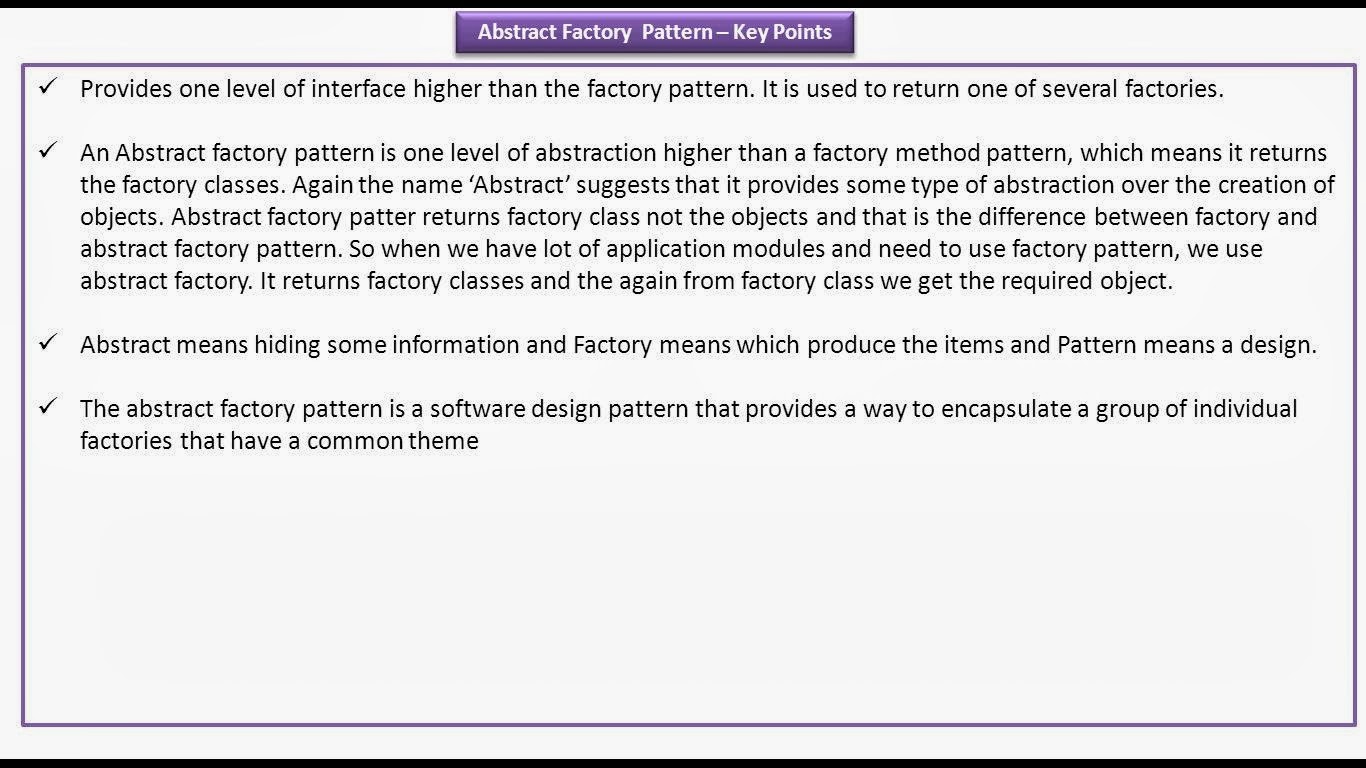
The Abstract Factory Design Pattern is a creational design pattern often referred to as a "Factory of Factories". It provides an interface for creating families of related or dependent objects without specifying their concrete classes.
Instead of creating objects directly using concrete constructors, client code requests objects from an abstract factory interface, ensuring that related objects (such as UI buttons and scrollbars for a specific OS) are always created together consistently.
Essential Key Points to Remember
Family of Products: Abstract Factory focuses on creating entire families of related products rather than single individual instances.
Loose Coupling: The client program is completely decoupled from concrete implementation classes. It interacts solely through abstract interfaces.
Open/Closed Principle: You can introduce new variants of product families into your application without breaking existing client code.
Single Responsibility Principle: The object creation logic is centralized in dedicated factory classes, simplifying maintenance and testing.
Consistency Across Products: Guarantees that products created within the same family are compatible with each other.
When Should You Use It?
The Abstract Factory pattern is ideal when:
A system must be independent of how its products are created, composed, and represented.
A system needs to be configured with one of multiple families of products (e.g., cross-platform UI themes, multi-cloud storage adapters).
A family of related product objects is designed to be used together, and you need to enforce this constraint at runtime.
The Abstract Factory Pattern acts as a "super-factory" or "factory of factories." In this practical implementation, we organize related objects into concrete families based on their environment:
Land Animal Family: Produces land animals such as Dog, Cat, and Lion.
Sea Animal Family: Produces aquatic animals such as Shark and Octopus.
Abstract Animal Factory: The super factory that delegates the creation of the correct concrete factory based on input.
Complete Java Code Implementation
Here is the complete source code demonstrating the interfaces, concrete implementations, factory classes, and client execution:
// 1. Common Product Interface
interface Animal {
    String speak();
}

// Concrete Products: Land Animals
class Dog implements Animal {
    @Override
    public String speak() { return "Bark Bark"; }
}

class Cat implements Animal {
    @Override
    public String speak() { return "Meow Meow"; }
}

class Lion implements Animal {
    @Override
    public String speak() { return "Roar"; }
}

// Concrete Products: Sea Animals
class Shark implements Animal {
    @Override
    public String speak() { return "Cannot Speak"; }
}

class Octopus implements Animal {
    @Override
    public String speak() { return "Squawk"; }
}

// 2. Abstract Factory (Super Factory)
abstract class AnimalFactory {
    public abstract Animal getAnimal(String animalType);

    public static AnimalFactory getAnimalFactory(String factoryType) {
        if ("SEA".equalsIgnoreCase(factoryType)) {
            return new SeaAnimalFactory();
        } else if ("LAND".equalsIgnoreCase(factoryType)) {
            return new LandAnimalFactory();
        }
        return null;
    }
}

// 3. Concrete Factories
class LandAnimalFactory extends AnimalFactory {
    @Override
    public Animal getAnimal(String animalType) {
        if ("DOG".equalsIgnoreCase(animalType)) {
            return new Dog();
        } else if ("CAT".equalsIgnoreCase(animalType)) {
            return new Cat();
        } else if ("LION".equalsIgnoreCase(animalType)) {
            return new Lion();
        }
        return null;
    }
}

class SeaAnimalFactory extends AnimalFactory {
    @Override
    public Animal getAnimal(String animalType) {
        if ("SHARK".equalsIgnoreCase(animalType)) {
            return new Shark();
        } else if ("OCTOPUS".equalsIgnoreCase(animalType)) {
            return new Octopus();
        }
        return null;
    }
}

// 4. Client / Driver Application
public class AbstractFactoryPatternDemo {
    public static void main(String[] args) {
        // Fetch Sea Animal Factory
        AnimalFactory seaFactory = AnimalFactory.getAnimalFactory("SEA");
        Animal shark = seaFactory.getAnimal("SHARK");
        System.out.println("Shark says: " + shark.speak());

        Animal octopus = seaFactory.getAnimal("OCTOPUS");
        System.out.println("Octopus says: " + octopus.speak());

        // Fetch Land Animal Factory
        AnimalFactory landFactory = AnimalFactory.getAnimalFactory("LAND");
        Animal dog = landFactory.getAnimal("DOG");
        System.out.println("Dog says: " + dog.speak());

        Animal cat = landFactory.getAnimal("CAT");
        System.out.println("Cat says: " + cat.speak());

        Animal lion = landFactory.getAnimal("LION");
        System.out.println("Lion says: " + lion.speak());
    }
}
Key Takeaways for Developers
Encapsulation: The client application never calls the concrete class constructor directly using new.
Extensibility: To add a new environment (e.g., SkyAnimalFactory with Bird), simply create the classes and register them in the super-factory without modifying existing product hierarchies.
Consistency: Ensures that related products stay within their defined family domain.
The Abstract Factory Pattern belongs to the Creational Design Pattern family. At its simplest, it is defined as a "Super Factory" or a "Factory of Factories" because it creates and returns other factories.
When your application needs to produce multiple distinct families of related products without hardcoding the exact concrete classes into the client code, the Abstract Factory pattern provides the perfect abstraction layer.
Real-World Analogy: Animal Ecosystem
To understand how this hierarchy functions conceptually, consider dividing animals into two distinct habitats:
Land Animals Family: Animals like Dog, Cat, and Lion share land-based behavior and characteristics.
Sea Animals Family: Aquatic animals like Shark and Octopus have aquatic life cycles and navigation.
Abstract Animal Factory: The master factory that determines whether to supply a LandAnimalFactory or a SeaAnimalFactory based on the client's request.
Core Benefits of Abstract Factory
Isolates Concrete Classes: Client code only knows about the product interfaces, shielding your business logic from implementation changes.
Promotes Consistency: Enforces that products created from a single factory family are designed to work harmoniously together.
Adheres to Open/Closed Principle: Adding a brand-new factory family (such as AirAnimalFactory) requires no invasive modifications to the existing client execution code.
The Factory Design Pattern is one of the most widely used creational patterns in Java. It defines an interface or abstract class for creating an object, but allows subclasses or factory methods to decide which specific class to instantiate.
By delegating object creation to a centralized factory, your application decouples client business logic from concrete implementation details, making your codebase significantly more flexible and maintainable.
Complete Java Code Implementation
Below is a clear, beginner-friendly example implementing the Factory Pattern with shapes:
// 1. Common Interface
interface Shape {
    void draw();
}

// 2. Concrete Implementations
class Circle implements Shape {
    @Override
    public void draw() {
        System.out.println("Drawing a Circle.");
    }
}

class Rectangle implements Shape {
    @Override
    public void draw() {
        System.out.println("Drawing a Rectangle.");
    }
}

class Square implements Shape {
    @Override
    public void draw() {
        System.out.println("Drawing a Square.");
    }
}

// 3. Shape Factory
class ShapeFactory {
    public Shape getShape(String shapeType) {
        if (shapeType == null || shapeType.trim().isEmpty()) {
            return null;
        }
        if (shapeType.equalsIgnoreCase("CIRCLE")) {
            return new Circle();
        } else if (shapeType.equalsIgnoreCase("RECTANGLE")) {
            return new Rectangle();
        } else if (shapeType.equalsIgnoreCase("SQUARE")) {
            return new Square();
        }
        return null;
    }
}

// 4. Client / Driver Application
public class FactoryPatternDemo {
    public static void main(String[] args) {
        ShapeFactory factory = new ShapeFactory();

        Shape shape1 = factory.getShape("CIRCLE");
        if (shape1 != null) {
            shape1.draw();
        }

        Shape shape2 = factory.getShape("RECTANGLE");
        if (shape2 != null) {
            shape2.draw();
        }

        Shape shape3 = factory.getShape("SQUARE");
        if (shape3 != null) {
            shape3.draw();
        }
    }
}
Key Best Practices
Code to Interfaces: The client program should interact exclusively through the interface type rather than concrete classes.
Centralize Instantiation: Keep creation logic encapsulated inside factory methods so modifications do not impact client code.
Support Extensibility: Introducing new implementations is seamless and only requires updating the factory logic.
The Factory Design Pattern is a foundational creational pattern in object-oriented programming. Instead of using the new operator directly in client classes to instantiate concrete objects, the creation logic is delegated to a specialized factory class or method.
This design creates a clean separation of concerns, ensuring that client applications depend purely on interfaces or abstract classes rather than concrete implementations.
Essential Key Points to Remember
Loose Coupling: Decouples the client classes from the specific concrete classes they instantiate. Changes to concrete classes do not ripple through client code.
Single Responsibility Principle: Consolidates object creation rules, initialization, and validation into one dedicated location.
Open/Closed Principle: Adding a new implementation requires minimal updates inside the factory, leaving existing client logic untouched and closed for modification.
Encapsulated Creation Logic: If instantiating an object involves complex configuration or environment-dependent setup, the factory encapsulates those details neatly.
Coding to Interfaces: Clients work directly against common interfaces, allowing seamless swapping of implementations at runtime.
When Should You Apply It?
The Factory Pattern is ideal when:
A class cannot anticipate the exact sub-classes of objects it must create.
You want to centralize object creation to make future refactoring and unit testing easier.
You want to provide a library or framework where users can extend internal components without exposing concrete construction logic.