

https://www.youtube.com/watch?v=7oLyVMdlUiE&list=PLmCsXDGbJHdiQ5sNwRW6woCVsDAnv9kCr
See also:


 |
| Java Tutorial : Java IO (Java File | Java File Class) |
 |
| Java Tutorial : Java IO (Java File | Java File Class) |
 |
| Java Tutorial : Java IO (Java File | Java File Class) |
 |
| Java Tutorial : Java IO (Java File | Java File Class) |
 |
| Java Tutorial : Java IO (Java File | Java File Class) |
 |
| Java Tutorial : Java IO (Java File | Java File Class) |

Hello world
import java.io.FileInputStream;
import java.io.IOException;
import java.io.PushbackInputStream;

/*
 * public PushbackInputStream(InputStream in, int size)
 *
 * Parameters:
 * -----------
 *
 * in - the input stream from which bytes will be read.
 * size - the size of the pushback buffer.
 */
public class PushbackInputStreamDemo
{

    public static void main(String[] args) throws IOException
    {
        FileInputStream fileInputStream = null;
        PushbackInputStream pushbackInputStream = null;
        try
        {
            fileInputStream = new FileInputStream("myfile.txt");

            /*
             * Creates a PushbackInputStream with a pushback
             * buffer of the specified size, and saves its
             * argument, the input stream in, for later use.
             */
            pushbackInputStream = new PushbackInputStream(fileInputStream, 8);

            byte[] byteArray = new byte[10];

            /*
             * Reads up to len bytes of data from this input
             * stream into an array of bytes.
             */
            int numberOfBytesRead = pushbackInputStream.read(byteArray, 0, 5);

            System.out.println("numberOfBytesRead = "+numberOfBytesRead);
            System.out.println(new String(byteArray));

            /*
             * Pushes back a portion of an array of bytes by
             * copying it to the front of the pushback
             * buffer.
             */
            pushbackInputStream.unread(byteArray, 0, 5);

            numberOfBytesRead = pushbackInputStream.read(byteArray, 0, 5);
            System.out.println("numberOfBytesRead = "+numberOfBytesRead);
            System.out.println(new String(byteArray));

        }
        finally
        {
            if (pushbackInputStream != null)
            {
                /*
                 * Closing a PushbackInputStream will also
                 * close the Reader instance from which the
                 * PushbackInputStream is reading.
                 */
                pushbackInputStream.close();
            }
        }
    }

}
numberOfBytesRead = 5
Hello
numberOfBytesRead = 5
Hello


 |
| Java Tutorial : Java IO (Java PushbackInputStream) |
 |
| Java Tutorial : Java IO (Java PushbackInputStream) |
 |
| Java Tutorial : Java IO (Java PushbackInputStream) |
Hello worldPushbackInputStreamDemo.java
import java.io.FileInputStream;
import java.io.IOException;
import java.io.PushbackInputStream;

public class PushbackInputStreamDemo
{

    public static void main(String[] args) throws IOException
    {
        FileInputStream fileInputStream = null;
        PushbackInputStream pushbackInputStream = null;
        try
        {
            fileInputStream = new FileInputStream("myfile.txt");
            pushbackInputStream = new PushbackInputStream(fileInputStream);

            /*
             * Reads the next byte of data from this input
             * stream.
             */
            int data = pushbackInputStream.read();
            System.out.println((char) data);

            /*
             * Pushes back a byte by copying it to the front
             * of the pushback buffer.
             */
            pushbackInputStream.unread(data);

            data = pushbackInputStream.read();
            System.out.println((char) data);

        }
        finally
        {
            if (pushbackInputStream != null)
            {
                /*
                 * Closing a pushbackInputStream will also
                 * close the FileInputStream instance from
                 * which the PushbackReader is reading.
                 */
                pushbackInputStream.close();
            }
        }

    }

}
Output
H
H
Refer:
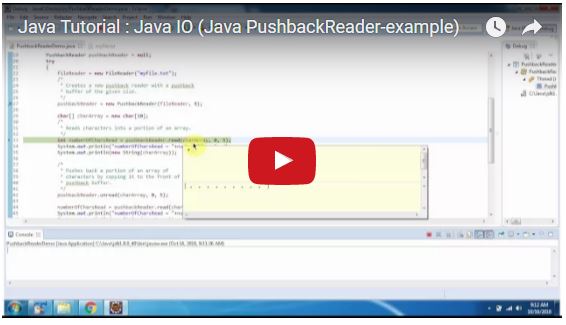
Hello world
import java.io.FileReader;
import java.io.IOException;
import java.io.PushbackReader;

/*
 * public PushbackReader(Reader in, int size)
 *
 * Parameters:
 * ----------
 * in - The reader from which characters will be read
 * size - The size of the pushback buffer
 */
public class PushbackReaderDemo
{

    public static void main(String[] args) throws IOException
    {
        FileReader fileReader = null;
        PushbackReader pushbackReader = null;
        try
        {
            fileReader = new FileReader("myfile.txt");
            /*
             * Creates a new pushback reader with a pushback
             * buffer of the given size.
             */
            pushbackReader = new PushbackReader(fileReader, 8);

            char[] charArray = new char[10];
            /*
             * Reads characters into a portion of an array.
             */
            int numberOfCharsRead = pushbackReader.read(charArray, 0, 5);
            System.out.println("numberOfCharsRead = "+numberOfCharsRead);
            System.out.println(new String(charArray));

            /*
             * Pushes back a portion of an array of
             * characters by copying it to the front of the
             * pushback buffer.
             */
            pushbackReader.unread(charArray, 0, 5);

            numberOfCharsRead = pushbackReader.read(charArray, 0, 5);
            System.out.println("numberOfCharsRead = "+numberOfCharsRead);
            System.out.println(new String(charArray));

        }
        finally
        {
            if (pushbackReader != null)
            {
                /*
                 * Closing a PushbackReader will also close
                 * the Reader instance from which the
                 * PushbackReader is reading.
                 */
                pushbackReader.close();
            }
        }

    }

}
numberOfCharsRead = 5
Hello
numberOfCharsRead = 5
Hello


 |
| Java Tutorial : Java IO (Java PushbackReader) |
 |
| Java Tutorial : Java IO (Java PushbackReader) |
 |
| Java Tutorial : Java IO (Java PushbackReader) |
Hello worldPushbackReaderDemo.java
import java.io.FileReader;
import java.io.IOException;
import java.io.PushbackReader;

public class PushbackReaderDemo
{

    public static void main(String[] args) throws IOException
    {
        FileReader fileReader = null;
        PushbackReader pushbackReader = null;
        try
        {
            fileReader = new FileReader("myfile.txt");
            pushbackReader = new PushbackReader(fileReader);
            int data = pushbackReader.read();
            System.out.println((char) data);

            /*
             * Pushes back a single character by copying it
             * to the front of the pushback buffer. After
             * this method returns, the next character to be
             * read will have the value (char)c.
             */
            pushbackReader.unread(data);

            /*
             * Reads a single character.
             */
            data = pushbackReader.read();
            System.out.println((char) data);

        }
        finally
        {
            if (pushbackReader != null)
            {
                /*
                 * Closing a PushbackReader will also close
                 * the Reader instance from which the
                 * PushbackReader is reading.
                 */
                pushbackReader.close();
            }
        }

    }

}
Output
H
H
Refer:

import java.io.IOException;
import java.io.StreamTokenizer;
import java.io.StringReader;

public class StreamTokenizerDemo
{

    public static void main(String[] args) throws IOException
    {
        StringReader stringReader = new StringReader("Peter welcome to India");
        StreamTokenizer tokenizer = new StreamTokenizer(stringReader);
        /*
         * TT_EOL is used to determine end of line
         */
        while (tokenizer.nextToken() != StreamTokenizer.TT_EOF)
        {
            /*
             * sval-The string value of the token, if the
             * token was a string (word)
             */
            System.out.println(tokenizer.sval);
        }

    }

}
Peter
welcome
to
India


Hello, How are you peter?
Shall we go to India. 2+2=4
import java.io.BufferedReader;
import java.io.FileReader;
import java.io.IOException;
import java.io.StreamTokenizer;

public class StreamTokenizerDemo
{

    public static void main(String[] args) throws IOException
    {
        FileReader fileReader = null;
        BufferedReader bufferedReader = null;
        try
        {
            fileReader = new FileReader("myfile.txt");
            bufferedReader = new BufferedReader(fileReader);
            StreamTokenizer st = new StreamTokenizer(bufferedReader);

            // print the stream tokens
            boolean eof = false;
            do
            {
                /*
                 * Parses the next token from the input
                 * stream of this tokenizer. The type of the
                 * next token is returned in the ttype
                 * field. Additional information about the
                 * token may be in the nval field or the
                 * sval field of this tokenizer.
                 *
                 * Typical clients of this class first set
                 * up the syntax tables and then sit in a
                 * loop calling nextToken to parse
                 * successive tokens until TT_EOF is
                 * returned.
                 */
                int token = st.nextToken();
                switch (token)
                {
                case StreamTokenizer.TT_EOF:
                    System.out.println("End of File encountered.");
                    eof = true;
                    break;
                case StreamTokenizer.TT_EOL:
                    System.out.println("End of Line encountered.");
                    System.out.println("Line Number:" + st.lineno());
                    break;
                case StreamTokenizer.TT_WORD:
                    System.out.println("Word: " + st.sval);
                    break;
                case StreamTokenizer.TT_NUMBER:
                    System.out.println("Number: " + st.nval);
                    break;
                default:
                    System.out.println((char) token + " encountered.");
                    if (token == '!')
                    {
                        eof = true;
                    }
                }
            }
            while (!eof);
        }
        finally
        {
            if (bufferedReader != null)
            {
                bufferedReader.close();
            }
        }

    }

}
Word: Hello
, encountered.
Word: How
Word: are
Word: you
Word: peter
? encountered.
Word: Shall
Word: we
Word: go
Word: to
Word: India.
Number: 2.0
+ encountered.
Number: 2.0
= encountered.
Number: 4.0
End of File encountered.

 |
| Java Tutorial : Java IO (Java StreamTokenizer) |
 |
| Java Tutorial : Java IO (Java StreamTokenizer) |
 |
| Java Tutorial : Java IO (Java StreamTokenizer) |
 |
| Java Tutorial : Java IO (Java StreamTokenizer) |
 |
| Java Tutorial : Java IO (Java StreamTokenizer) |
import java.io.IOException;
import java.io.StreamTokenizer;
import java.io.StringReader;

public class StreamTokenizerDemo
{

    public static void main(String[] args) throws IOException
    {
        StreamTokenizer streamTokenizer = null;
        StringReader stringReader = new StringReader("Peter had 1 pen.");

        streamTokenizer = new StreamTokenizer(stringReader);

        while (streamTokenizer.nextToken() != StreamTokenizer.TT_EOF)
        {

            if (streamTokenizer.ttype == StreamTokenizer.TT_WORD)
            {
                System.out.println("Inside TT_Word = " + streamTokenizer.sval);
            }
            else if (streamTokenizer.ttype == StreamTokenizer.TT_NUMBER)
            {
                System.out
                        .println("Inside TT_NUMBER = " + streamTokenizer.nval);
            }
        }

    }

}
Output
Inside TT_Word = Peter
Inside TT_Word = had
Inside TT_NUMBER = 1.0
Inside TT_Word = pen.
Refer:
Subscribe now for simplified, step-by-step programming guides and tutorials!
SUBSCRIBE TO RAM N JAVASerialization is the process of converting an object's state into a byte stream. This byte stream can then be saved to a file, stored in a database, or transmitted across a network. Deserialization does the exact opposite: it reconstructs the original object from the byte stream.
In real-world Java applications, objects rarely exist alone. A single object frequently holds references to other objects, creating an object graph:
When you pass the top-level Object A to the writeObject() method, Java's serialization engine automatically navigates the entire graph. All interconnected objects (A, B, C, D, and E) are written to the output stream together.
When reading back using readObject(), Java handles reconstructing the complete network of objects. Crucially, the original object references and relationships are preserved exactly as they were created, ensuring your program's state remains intact.
Check out these related Java Serialization tutorials from our channel:
 |
| Java Tutorial : Java IO (Java Serialization of Complex Objects) |
Subscribe today for concise, clear, and practical Java tutorials!
SUBSCRIBE TO RAM N JAVAWhen you serialize an object, you might not want every single field saved. If you declare a field as transient, Java will skip it during serialization.
Upon deserialization, transient fields automatically receive their language defaults:
String) are set to null.int) are initialized to 0.false.A common question in Java interviews is whether static fields are serialized. The short answer is no. Serialization preserves the state of a specific object instance. Because static variables belong to the class itself rather than any individual instance, they are not saved into the byte stream.
During serialization, the runtime navigates the entire object graph. If an encountered object does not implement java.io.Serializable, the JVM throws a NotSerializableException indicating the offending class.
The Fix: If you cannot modify that class to make it serializable, declare the reference holding that object as transient.
Deepen your understanding of Java IO and serialization with these tutorials:
 |
| Java Tutorial : Java IO (Java Serialization and Deserialization notes) |
