Showing posts with label HTTP Headers. Show all posts

Monday, 12 April 2021

HTTP Headers: Accept and Content-Type - RESTful Web Services with Spring framework | Spring Boot

🚀 Build Smarter APIs!

Subscribe to Ram N Java for simplified Java, Spring Boot, and REST API tutorials!

SUBSCRIBE TO OUR CHANNEL

Mastering HTTP Headers: Accept & Content-Type

Understanding how a client and server communicate their data preferences is vital for any professional RESTful Web Service. In this tutorial, we demystify the two most important HTTP headers: Accept and Content-Type.

The Language of API Communication

Think of HTTP headers as the "negotiation" phase between your frontend and backend. We break down exactly how these headers function in a Spring Boot environment:

  • Content-Type: Learn how this header tells the server the format of the data being sent (e.g., JSON or XML).
  • Accept: Discover how the client uses this header to tell the server what format it wants to receive in return.
  • Media Types: Understanding standard types like application/json and application/xml.

Live Testing with Postman

We show you how to manually set these headers in Postman to see Content Negotiation in action. You'll observe how the server responds differently based on the headers you provide, making your APIs flexible and client-friendly.

Why This Matters

Properly handling headers is a core principle of REST architecture. It allows your Spring Framework applications to be interoperable with various clients, from web browsers to mobile apps and other microservices. Mastering this ensures your data is always delivered in the correct format.

📥 Get the Source Code!

I have shared the full source code and PowerPoint presentation for this headers tutorial! Check out the download links in the YouTube video description above.

Friday, 12 February 2021

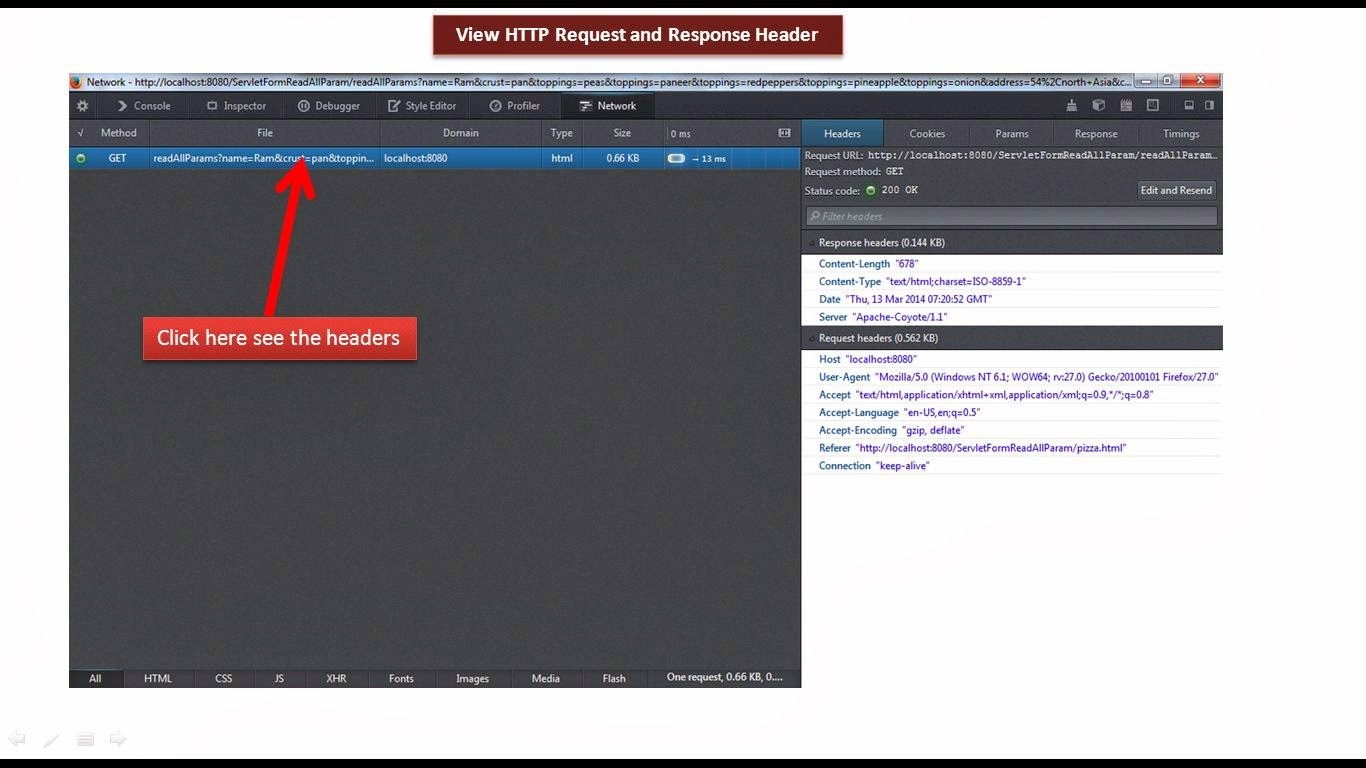
HTTP headers: Content-Type header | Web Services Tutorial

🚀 Ready to Master REST APIs? 🚀

Join the Ram N Java community for the best step-by-step tech tutorials that simplify your coding journey!

SUBSCRIBE NOW

Understanding the Content-Type Header

When two computers talk to each other over the internet, they need to agree on what language they are speaking. The Content-Type Header is the tool we use to make that happen. Without it, a server might receive data but have no idea how to read it.

What is Content-Type?

The Content-Type header tells the receiver (the server or the browser) the media type of the data being sent in the HTTP body. It’s like a label on a box that says "Fragile" or "Books"—it tells the receiver exactly what to expect inside the package.

Common Content Types

In modern web development and REST APIs, you will see these types almost every day:

  • application/json: The most popular choice for APIs. It sends data as a structured JavaScript object.
  • text/html: Used when the server is sending back a full web page to be rendered by your browser.
  • application/xml: An older but very structured format often used in enterprise systems.
  • multipart/form-data: Used when you are uploading files, like images or documents, via a web form.

Why Is It So Important?

If you send a JSON body but forget to set the Content-Type to application/json, the server might try to read it as plain text and fail. This is a very common cause of bugs for beginners! Always double-check your headers to ensure smooth communication between your frontend and backend.

Check Out More From My Channel

Enhance your skills with these other helpful tutorials from Ram N Java:

Tutorials