

Enjoying the tutorial? Join our developer family!
Subscribe to Ram N Java for beginner-friendly Java lessons, tips, and step-by-step programming guides.
Subscribe NowIntroduction to Java Programming
Starting with a new programming language can feel overwhelming, but Java makes the core process straightforward. In this beginner guide, we will write, compile, and run your very first Java program from scratch using the command prompt.
How Java Works Behind the Scenes
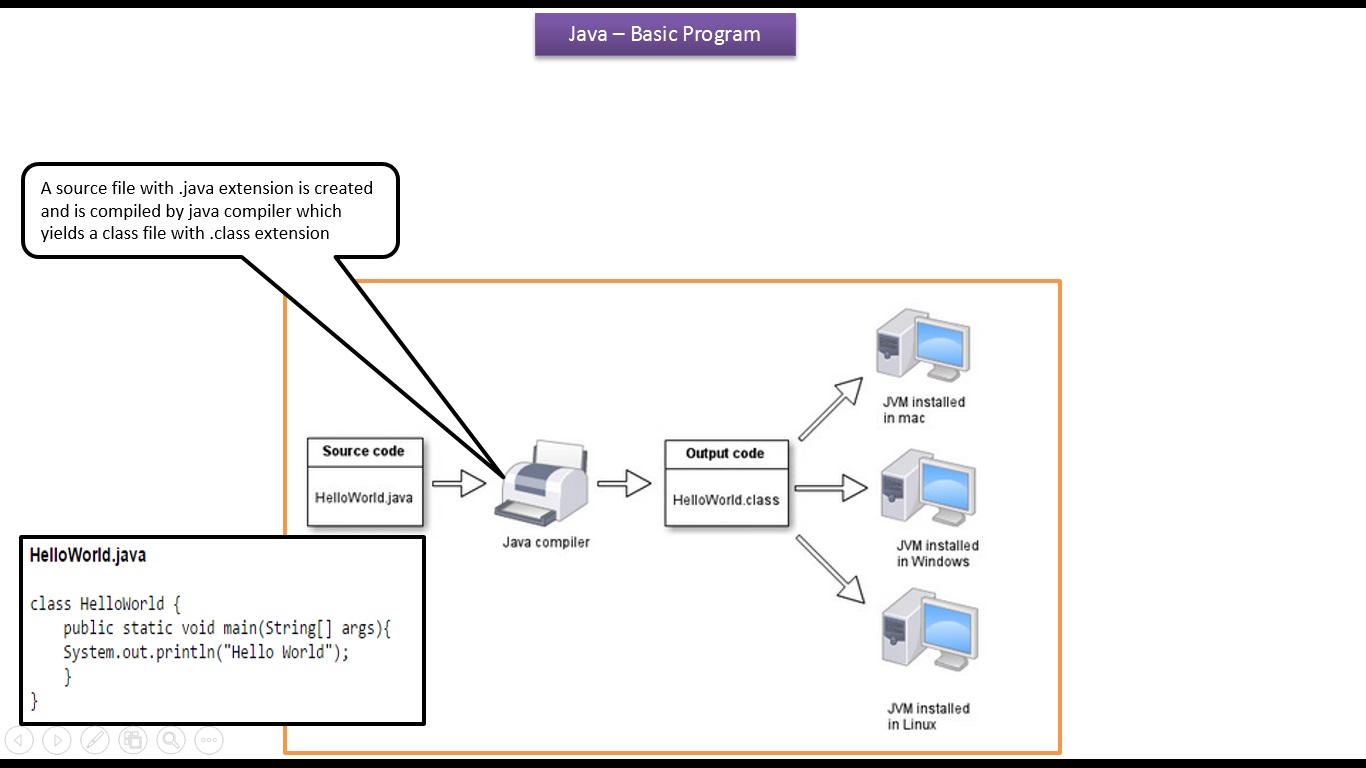
To run code in Java, there is an important 3-step cycle you should know:
- Create the Source Code: You write your program in plain text and save it with a
.javaextension (for example,HelloWorld.java). - Compile with Java Compiler: The compiler (
javac) checks your code and turns it into a.classfile containing platform-independent bytecode. - Run with JVM: The Java Virtual Machine (JVM) executes the bytecode and displays your output on screen.
Why Java is Platform Independent
Because the compiler converts your source code into bytecode rather than machine-specific instructions, the compiled .class file can run on Windows, macOS, Linux, or Solaris without modification—as long as the machine has the Java Virtual Machine (JVM) installed.
Writing the First Program: HelloWorld.java
Open any text editor and type the following code:
public class HelloWorld {
    public static void main(String[] args) {
        System.out.println("Hello World");
    }
}
Save this file with the exact name HelloWorld.java.
Compiling and Running via Command Prompt
Follow these quick steps to execute your program:
- Open your terminal or command prompt and navigate to the folder where you saved
HelloWorld.java. - Compile the program:
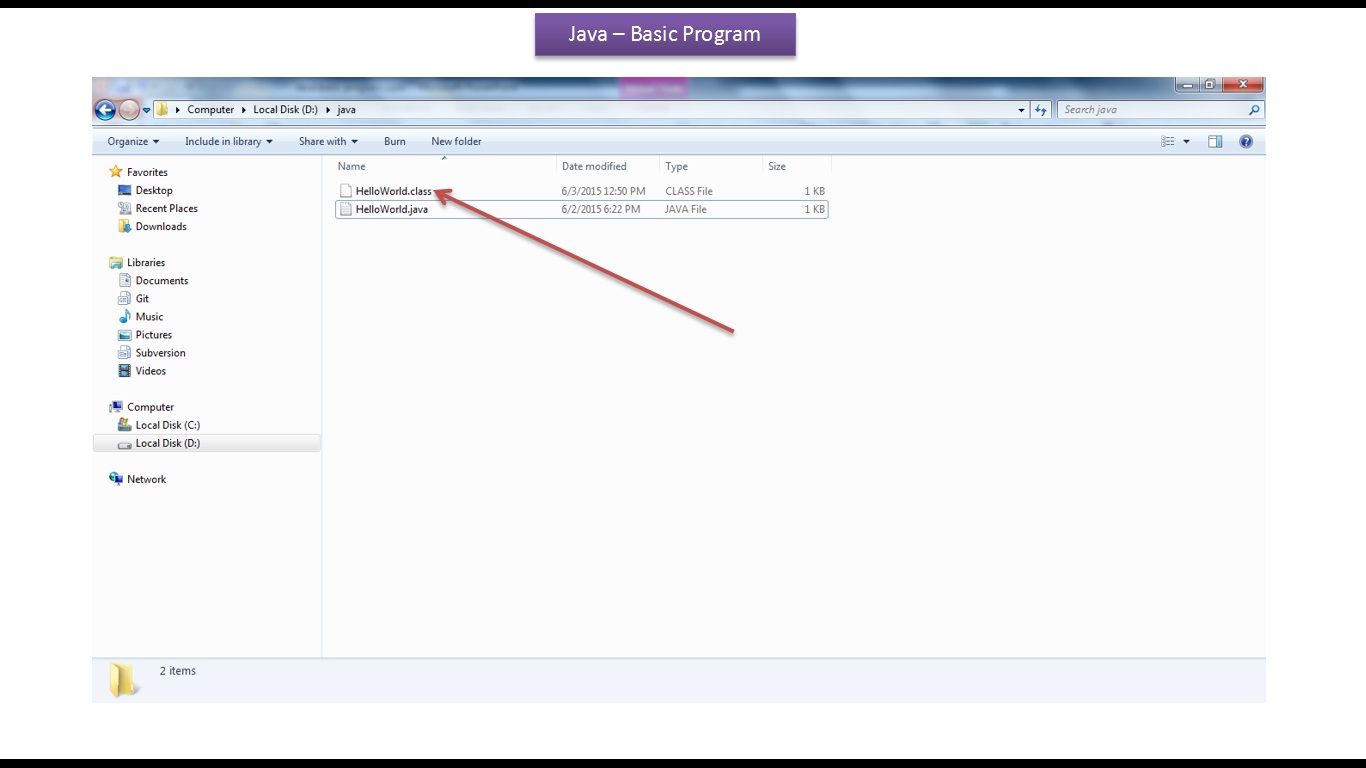
javac HelloWorld.javaThis creates the
HelloWorld.classfile in your folder. - Run the compiled bytecode:
java HelloWorld
You will see the output displayed directly in your command window:
Recommended Java Tutorials From Our Channel
Continue your Java learning journey with these hand-picked beginner guides:
Click here to watch in Youtube :
https://www.youtube.com/watch?v=9_z81tIs4Mk&list=UUhwKlOVR041tngjerWxVccw
Click the below Image to Enlarge
 |
| Java Tutorial : Java Basic Program |
 |
| Java Tutorial : Java Basic Program |
 |
| Java Tutorial : Java Basic Program |
 |
| Java Tutorial : Java Basic Program |
 |
| Java Tutorial : Java Basic Program |
 |
| Java Tutorial : Java Basic Program |
 |
| Java Tutorial : Java Basic Program |
 |
| Java Tutorial : Java Basic Program |

No comments:
Post a Comment