

Master Java with Us!
Enjoying this guide? Subscribe to Ram N Java for straightforward, beginner-friendly programming tutorials!
Subscribe on YouTubeUnderstanding Java Class Structure: A Beginner's Guide
In object-oriented programming with Java, everything revolves around classes and objects. A class is essentially a blueprint or template from which individual objects are created. If you are starting your Java programming journey, understanding the fundamental structure of a class is your first key milestone.
1. Core Components of a Java Class
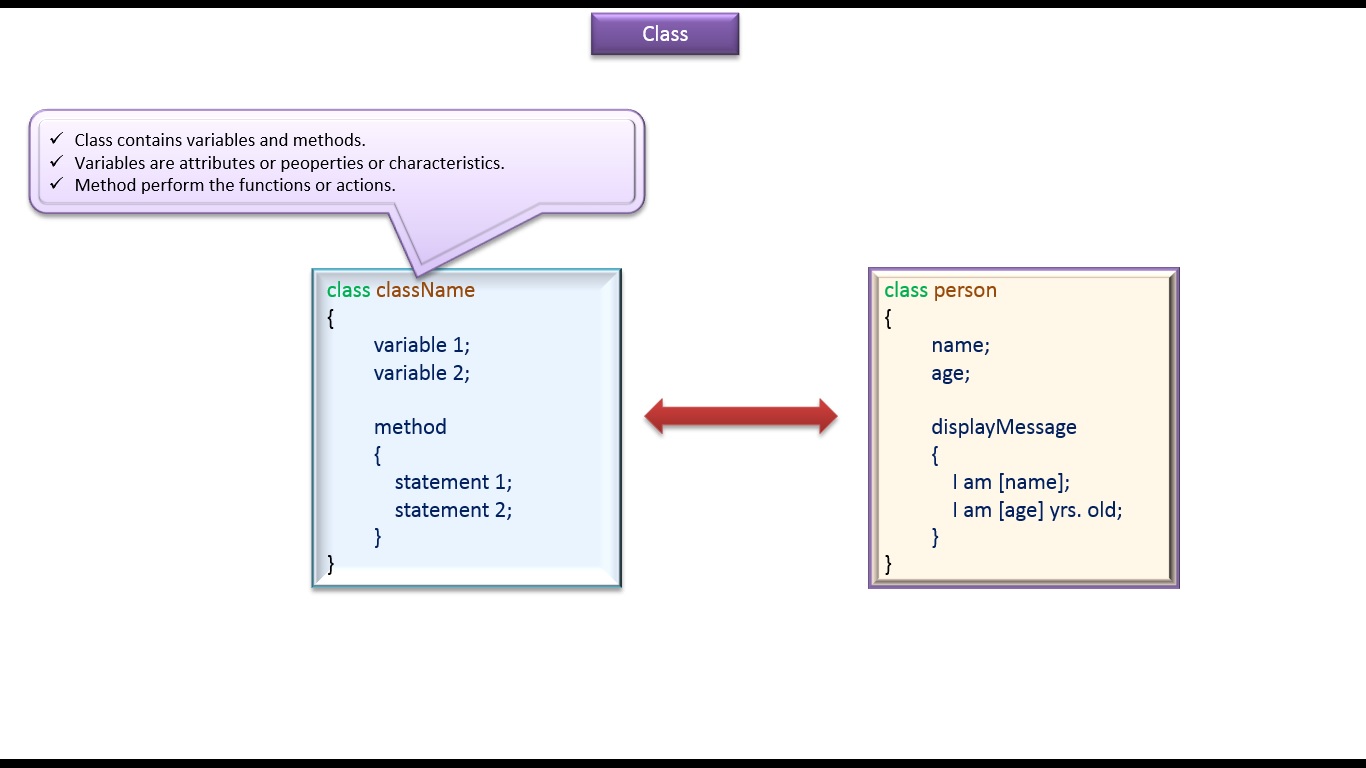
Every Java class is defined using the class keyword followed by the class name. Within the curly braces { }, a class primarily consists of two elements:
- Variables (Attributes / Properties / State): These hold data representing the characteristics of an object.
- Methods (Functions / Behaviors / Actions): These define the operations or tasks that an object can perform.
2. Example: Creating a Person Class
Let's look at a practical demonstration. Suppose we want to model a Person:
public class Person {
    // Variables (Attributes)
    String name;
    int age;

    // Method (Behavior)
    public void displayMessage() {
        System.out.println("I am " + name + ", I am " + age + " years old.");
    }
}
3. The Role of the main() Method
A Java application can contain multiple classes, but at least one class must contain the main() method. When your program executes, the Java Virtual Machine (JVM) searches for this entry point to begin execution.
The standard syntax is:
4. Instantiating Objects and Using the Dot Operator
To bring a class to life, you create an instance (object) using the new operator. Once created, you access its variables and invoke its methods using the dot (.) operator.
public class PersonDemo {
    public static void main(String[] args) {
        // Creating an object of class Person
        Person peter = new Person();

        // Accessing variables using dot operator
        peter.name = "Peter";
        peter.age = 53;

        // Calling method using dot operator
        peter.displayMessage();
    }
}
5. Expected Program Output
Watch More Java Tutorials from Ram N Java
- What is a Class? | Java Class Structure and Syntax Explained | Java Tutorial
- Java Coding Standards: Naming Conventions Explained | Java Tutorial
- Java String Literals Explained | What is a Java String Literals? | Java Tutorial
Click here to watch on YouTube:
https://www.youtube.com/watch?v=tnJzctk-Utk&list=UUhwKlOVR041tngjerWxVccw
Click the below Images to Enlarge:


Person.java
/**
 * Person class is the blueprint from which individual Person objects can be
 * created.
 */
public class Person
{
    String name;
    int age;

    public void displayMsg()
    {
        System.out.println("I am " + name);
        System.out.println("I am " + age + " yrs. old");
    }
}
PersonDemo.java
public class PersonDemo
{
    public static void main(String[] args)
    {
        Person peter = new Person();
        /*
         * Setting Attributes/Properties/Characteristics.
         */
        peter.name = "Peter";
        peter.age = 53;

        peter.displayMsg();
    }
}
Output
I am Peter
I am 53 yrs. old
https://sites.google.com/site/javaee4321/java/PersonDemoStructure.zip?attredirects=0&d=1

No comments:
Post a Comment