
Tuesday, 4 October 2016

Java Tutorial : Java IO (Java Serialization with Transient keyword)

🚀 Enjoying Java Tutorials?

Subscribe to Ram N Java for clean, beginner-friendly core Java tutorials and interview prep!

🔔 Subscribe to Ram N Java

Introduction

When serializing objects in Java, not every field should be saved to persistent storage or sent over the network. Sensitive details like passwords, encryption keys, or temporary session identifiers need to be omitted. Java provides a dedicated keyword for this exact purpose: transient.

What Does the Transient Keyword Do?

The transient modifier is a variable-level modifier used during serialization:

  • When an object is serialized using ObjectOutputStream, any instance variable marked as transient is completely ignored by the default JVM serialization mechanism.
  • Its value is not written to the byte stream.

What Happens During Deserialization?

Because the transient variable's value was never persisted into the byte stream, Java assigns it the default value of its data type when the object is restored via ObjectInputStream:

  • For reference types / objects (e.g., String, custom classes): null
  • For numeric primitive types (e.g., int, short, long): 0
  • For floating-point primitives (e.g., float, double): 0.0
  • For boolean primitives: false

Transient with Static and Final Variables

Modifier Combination Serialization Behavior
transient instance variable Skipped; restored to default value (e.g., null, 0)
transient static Static fields belong to the class, not object state; transient has no extra effect
transient final Direct value gets serialized as a constant compile-time value

Related Tutorials from Ram N Java


Click here to watch in Youtube :
https://www.youtube.com/watch?v=EtIhgC2nb_I&list=UUhwKlOVR041tngjerWxVccw

Click the below Image to Enlarge
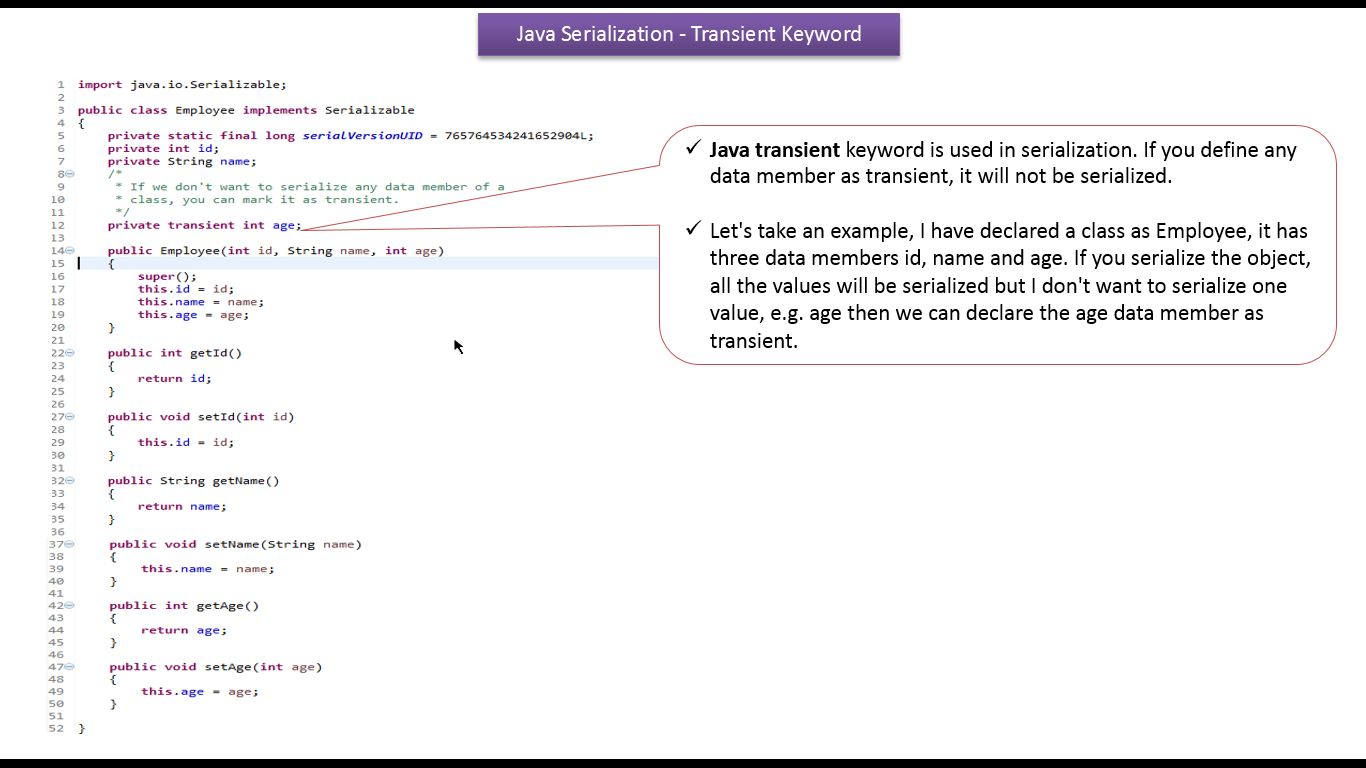
Java Tutorial : Java IO (Java Serialization with Transient keyword) 
Employee.java
import java.io.Serializable;

public class Employee implements Serializable
{
    private static final long serialVersionUID = 765764534241652904L;
    private int id;
    private String name;
    /*
     * If we don't want to serialize any data member of a
     * class, you can mark it as transient.
     */
    private transient int age;

    public Employee(int id, String name, int age)
    {
        super();
        this.id = id;
        this.name = name;
        this.age = age;
    }

    public int getId()
    {
        return id;
    }

    public void setId(int id)
    {
        this.id = id;
    }

    public String getName()
    {
        return name;
    }

    public void setName(String name)
    {
        this.name = name;
    }

    public int getAge()
    {
        return age;
    }

    public void setAge(int age)
    {
        this.age = age;
    }

}
SerializationDemo.java
import java.io.FileNotFoundException;
import java.io.FileOutputStream;
import java.io.IOException;
import java.io.ObjectOutputStream;

public class SerializationDemo
{

    public static void main(String[] args) throws FileNotFoundException,
            IOException, ClassNotFoundException
    {
        SerializationDemo serializationDemo = new SerializationDemo();
        serializationDemo.writeEmployeeObject();
    }

    private void writeEmployeeObject() throws FileNotFoundException,
            IOException
    {
        FileOutputStream fileOutputStream = null;
        ObjectOutputStream objectOutputStream = null;
        try
        {
            fileOutputStream = new FileOutputStream("employee.txt");
            objectOutputStream = new ObjectOutputStream(fileOutputStream);

            Employee employee = new Employee(101, "Peter", 32);

            System.out.println("Id  = " + employee.getId());
            System.out.println("Name = " + employee.getName());
            System.out.println("Age = " + employee.getAge());

            /*
             * Write the specified object to the
             * ObjectOutputStream.
             */
            objectOutputStream.writeObject(employee);
            System.out
                    .println("Successfully written employee object to the file.\n");
        }
        finally
        {

            if (objectOutputStream != null)
            {
                /*
                 * Closing a ObjectOutputStream will also
                 * close the OutputStream instance to which
                 * the ObjectOutputStream is writing.
                 */
                objectOutputStream.close();
            }
        }

    }

}
Output
Id  = 101
Name = Peter
Age = 32
Successfully written employee object to the file.
employee.txt

DeSerializationDemo.java
import java.io.FileInputStream;
import java.io.FileNotFoundException;
import java.io.IOException;
import java.io.ObjectInputStream;

public class DeSerializationDemo
{

    public static void main(String[] args) throws FileNotFoundException,
            IOException, ClassNotFoundException
    {
        DeSerializationDemo deSerializationDemo = new DeSerializationDemo();
        deSerializationDemo.readEmployeeObject();
    }

    private void readEmployeeObject() throws IOException,
            FileNotFoundException, ClassNotFoundException
    {
        FileInputStream fileInputStream = null;
        ObjectInputStream objectInputStream = null;

        try
        {
            fileInputStream = new FileInputStream("employee.txt");
            objectInputStream = new ObjectInputStream(fileInputStream);

            /*
             * Read an object from the ObjectInputStream.
             */
            Employee employee = (Employee) objectInputStream.readObject();

            System.out
                    .println("Successfully read employee object from the file.");

            System.out.println("Id  = " + employee.getId());
            System.out.println("Name = " + employee.getName());
            /*
             * If you deserialize the object, you will get
             * the default value for transient variable,So
             * for age we will get 0
             */
            System.out.println("Age = " + employee.getAge());
        }
        finally
        {

            if (objectInputStream != null)
            {
                /*
                 * Closing a ObjectInputStream will also
                 * close the InputStream instance from which
                 * the ObjectInputStream is reading.
                 */
                objectInputStream.close();
            }
        }

    }

}
Output
Successfully read employee object from the file.
Id  = 101
Name = Peter
Age = 0

Click the below link to download the code:
https://sites.google.com/site/ramj2eev1/home/javabasics/JavaIODemo_Serialization_transient_App.zip?attredirects=0&d=1

Github Link:
https://github.com/ramram43210/Java/tree/master/BasicJava/JavaIODemo_Serialization_transient_App

Bitbucket Link:
https://bitbucket.org/ramram43210/java/src/9ef303db3f229fc70e7cf47baac5692282611e62/BasicJava/JavaIODemo_Serialization_transient_App/?at=master

See also:
  • All JavaEE Viedos Playlist
  • All JavaEE Viedos
  • All JAVA EE Links
  • Servlets Tutorial
  • All Design Patterns Links
  • JDBC Tutorial
  • Java Collection Framework Tutorial
  • JAVA Tutorial
  • Kids Tutorial
  • No comments:

    Post a Comment

    Tutorials